OTA updates
Once Cadmus is installed, you can update it wirelessly without connecting to a computer. The OTA (Over-The-Air) feature downloads updates directly from GitHub.
What you need
- A WiFi connection
Authentication
Main branch and PR builds require a GitHub account. Stable releases are public and need no authentication.
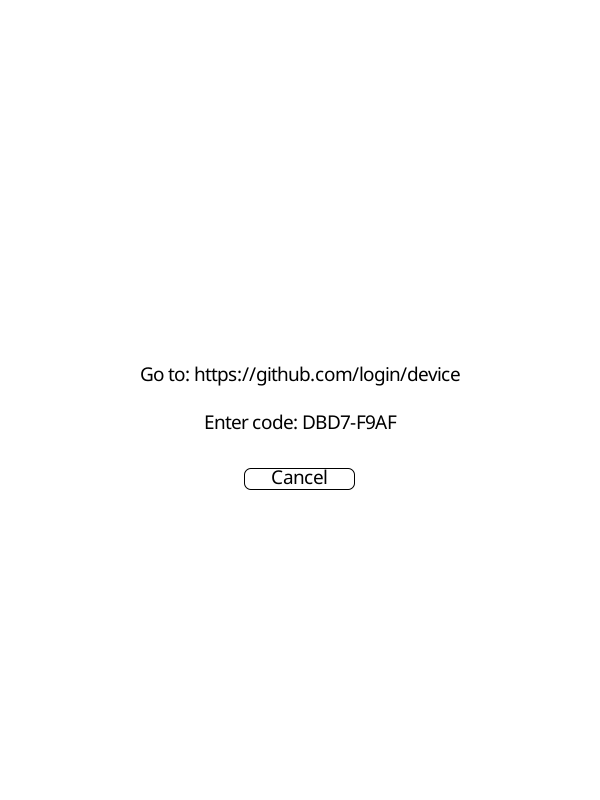
The first time you request a main branch or PR build, Cadmus will show a screen with a URL and a short code:
- Go to the URL shown on screen
- Enter the code shown on your device
- Sign in to GitHub and approve the request
Cadmus detects the approval automatically and starts the download. The token is saved to disk so you won’t need to sign in again.
 |  |
How to update
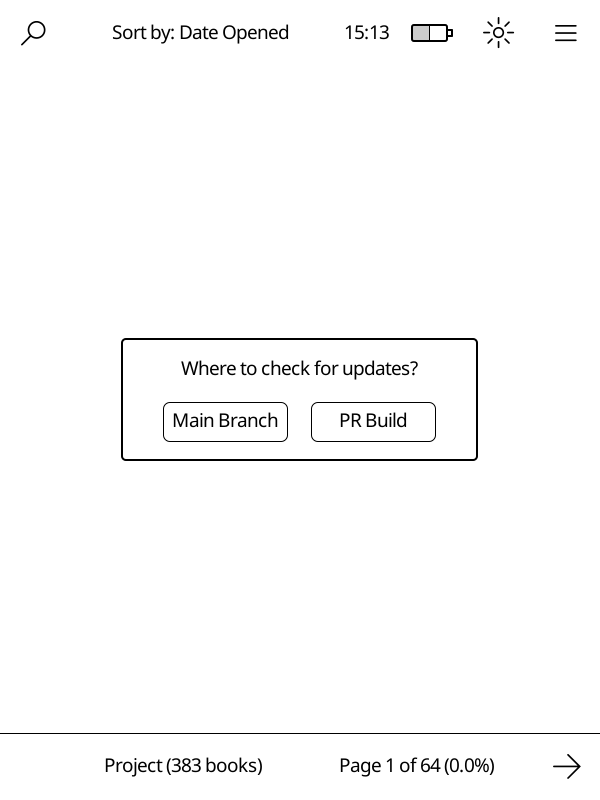
Open Main Menu → Check for Updates. You’ll see options for where to get the update from:
| Source | Description |
|---|---|
| Stable Release | Latest official release from GitHub |
| Main Branch | Latest development build (most recent changes) |
| PR Build | Test a specific pull request |
Note
The Stable Release option is not shown in test builds.
Updating from the main branch
Select Main Branch to get the most recent development build. This includes changes that have been merged but not yet released officially.
If you haven’t authenticated before, Cadmus will guide you through the GitHub sign-in process. See Authentication for details.
The update downloads from GitHub, installs automatically, and reboots the device to finish.
Before that reboot, Cadmus removes the files it previously installed so the new package can replace them cleanly. Your custom fonts, icons, and other user-added files will be preserved.
Testing a pull request
Select PR Build to try out a specific change before it’s released. Enter the PR number when prompted. If you haven’t authenticated before, Cadmus will guide you through the GitHub sign-in process. See Authentication for details.
Tip
Find the PR number in the GitHub URL. For example, in
github.com/OGKevin/cadmus/pull/42the PR number is 42.
Normal vs test builds
OTA works for both types of builds. The type you’re currently using determines what gets downloaded:
- Normal builds update to
KoboRoot.tgzin/mnt/onboard/.adds/cadmus - Test builds update to
KoboRoot-test.tgzin/mnt/onboard/.adds/cadmus-tst
See the available packages table for all options.
First-time setup
OTA only works for updating an existing installation. To install Cadmus for the first time, follow the installation guide or the test builds guide to copy a KoboRoot file via USB.
Troubleshooting
“Insufficient disk space” error
If Cadmus shows an error like “Insufficient disk space: need 100MB, have XMB” while downloading an update:
- Cadmus downloads update files into a
tmpfolder:- With SD card:
/mnt/sd/.cadmus/tmp(uses SD card space) - Without SD card:
/mnt/onboard/.adds/cadmus/tmp(uses internal storage)
- With SD card:
- If you see this error and have an SD card inserted, the card may be full
- If you do not have an SD card, free up space on internal storage by deleting books or other files you do not need